Pro installs on top of the free app and keeps your rules.
Passkeys
On Odoo 18.0 and later, users who added a passkey in My Profile > Account Security confirm with it: a fingerprint, a face check or the device PIN. Only the user’s own passkeys are accepted.
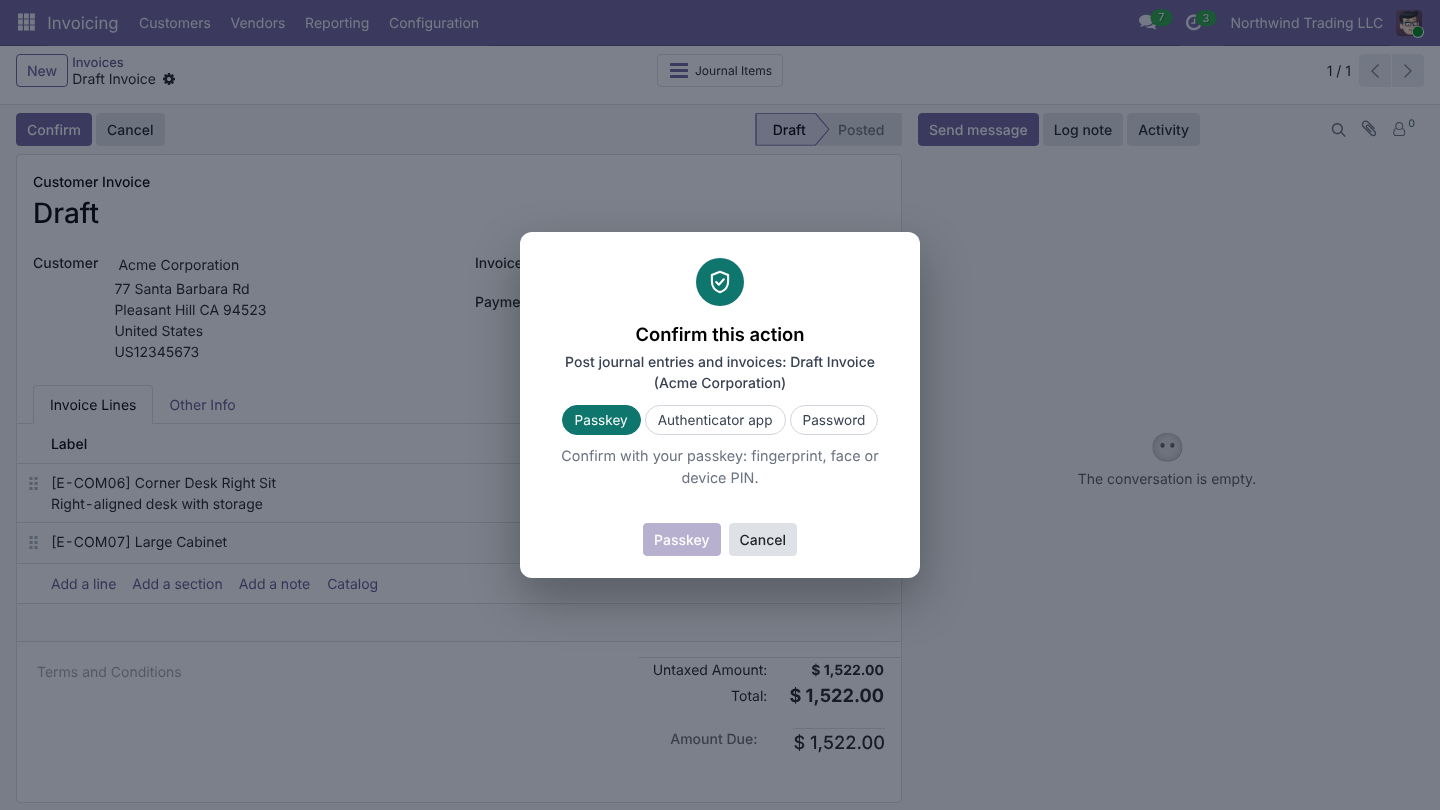
On Odoo 17.0, Odoo has no passkeys: use the authenticator code, or SecureKey 2FA for hardware security keys.
Rule options
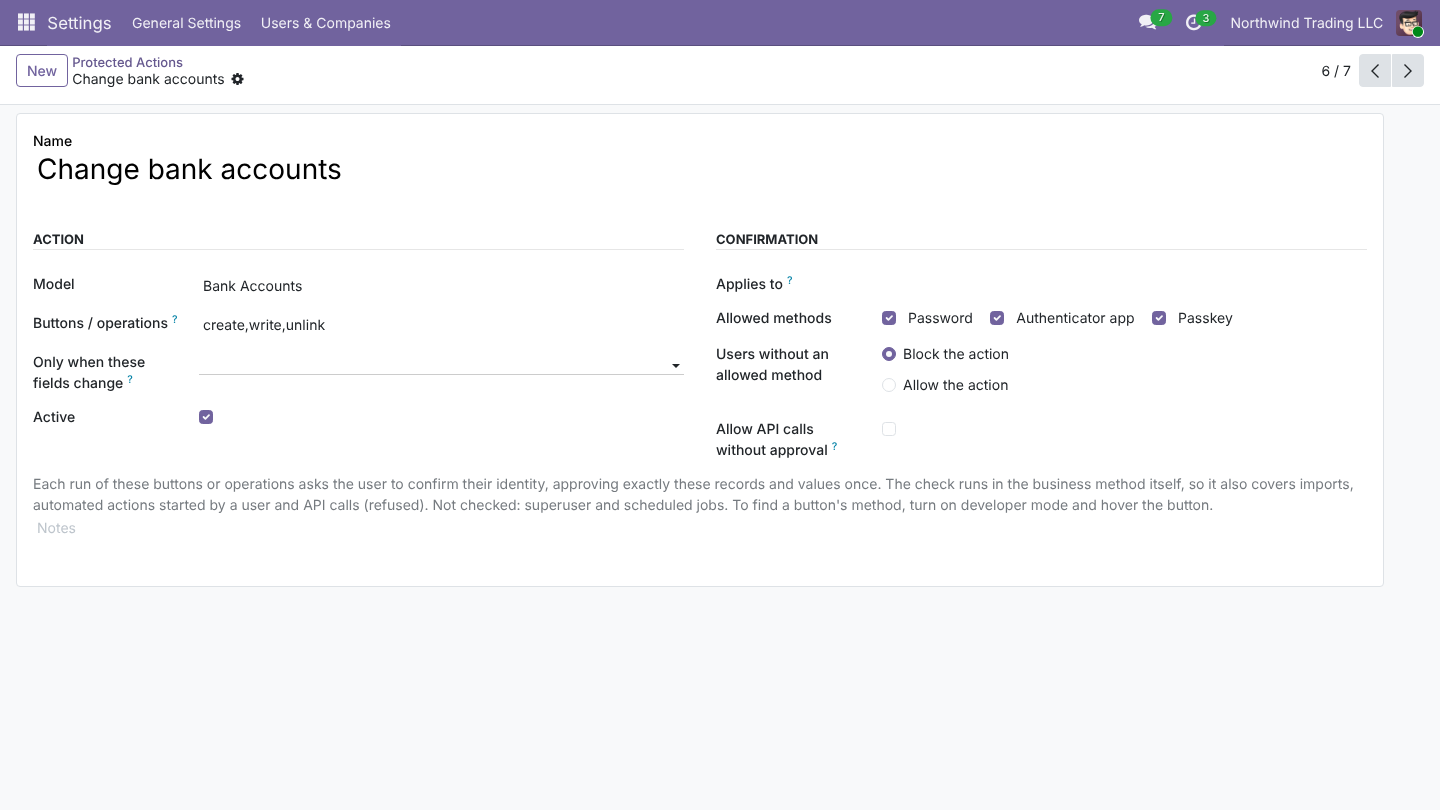
| Field | What it does |
|---|---|
| Only when these fields change | For create and write: ask only when one of these fields changes (for example the account number). |
| Applies to | Only users in these groups. Empty: everyone. |
| Allowed methods | Password, authenticator app, passkey (and security key with SecureKey Pro). For example passkey only for payments. |
| Users without an allowed method | Block the action, or Allow the action for users who have not set up an allowed method. |
| Allow API calls without approval | Let XML-RPC / JSON-RPC calls run this action without a confirmation. |
There is no limit on the number of protected actions.
Reports
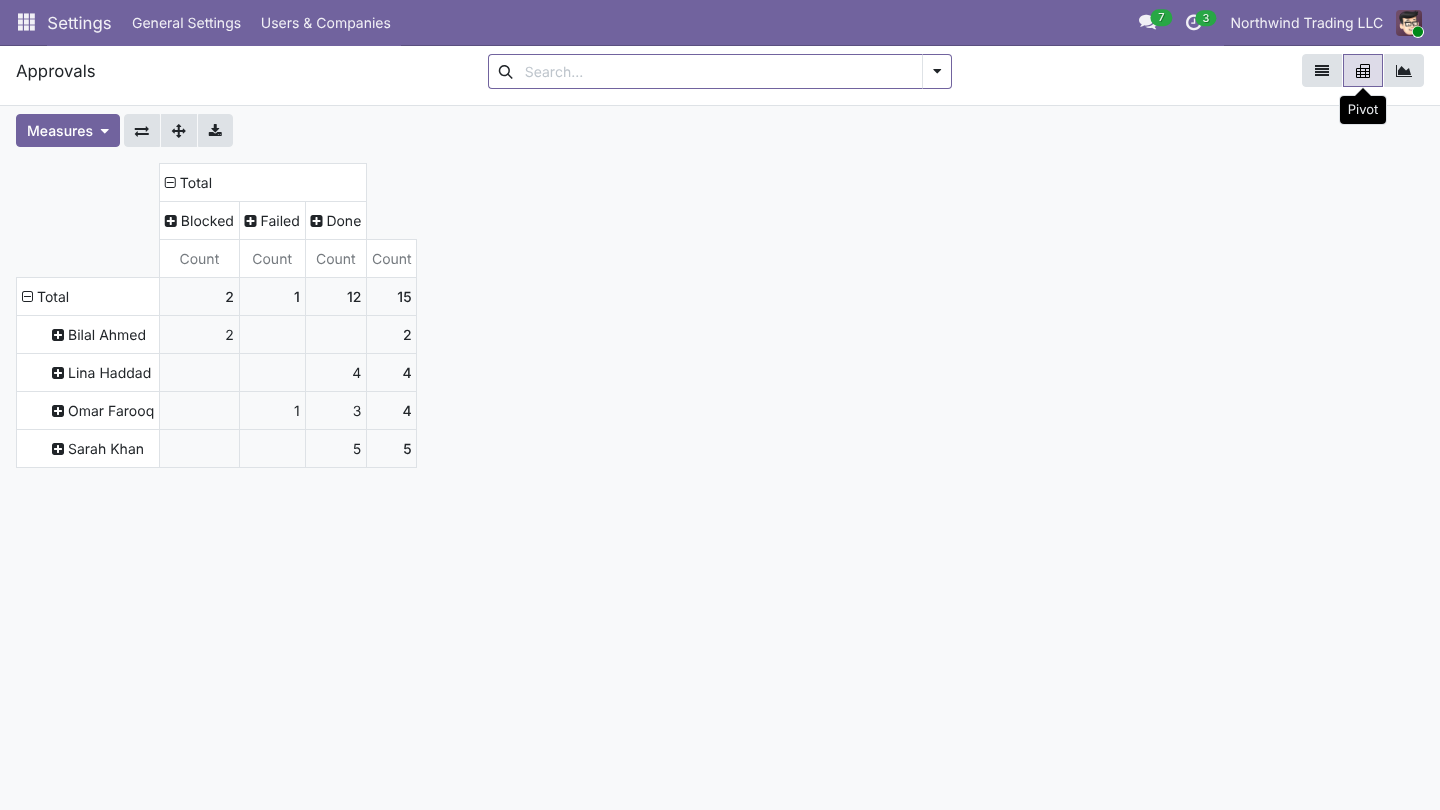
The approvals list adds pivot and graph views: approvals per user, per action and per week, with failures and blocked calls. Export to Excel from the list.
Odoo is a trademark of Odoo S.A. SecureKeys, SecureKey 2FA and Action Approvals are independent products by Novator Technologies. They are not official Odoo products and are not endorsed or supported by Odoo S.A. Trademark notice.