The confirmation
- The user clicks a protected button, for example Confirm on an invoice, or Save after changing a bank account.
- Odoo shows Confirm this action with what is about to happen.
- The user picks a method (passkey, authenticator app or password) and confirms.
- Odoo shows Approved. Click the button again to run it. The user clicks again and the action runs.
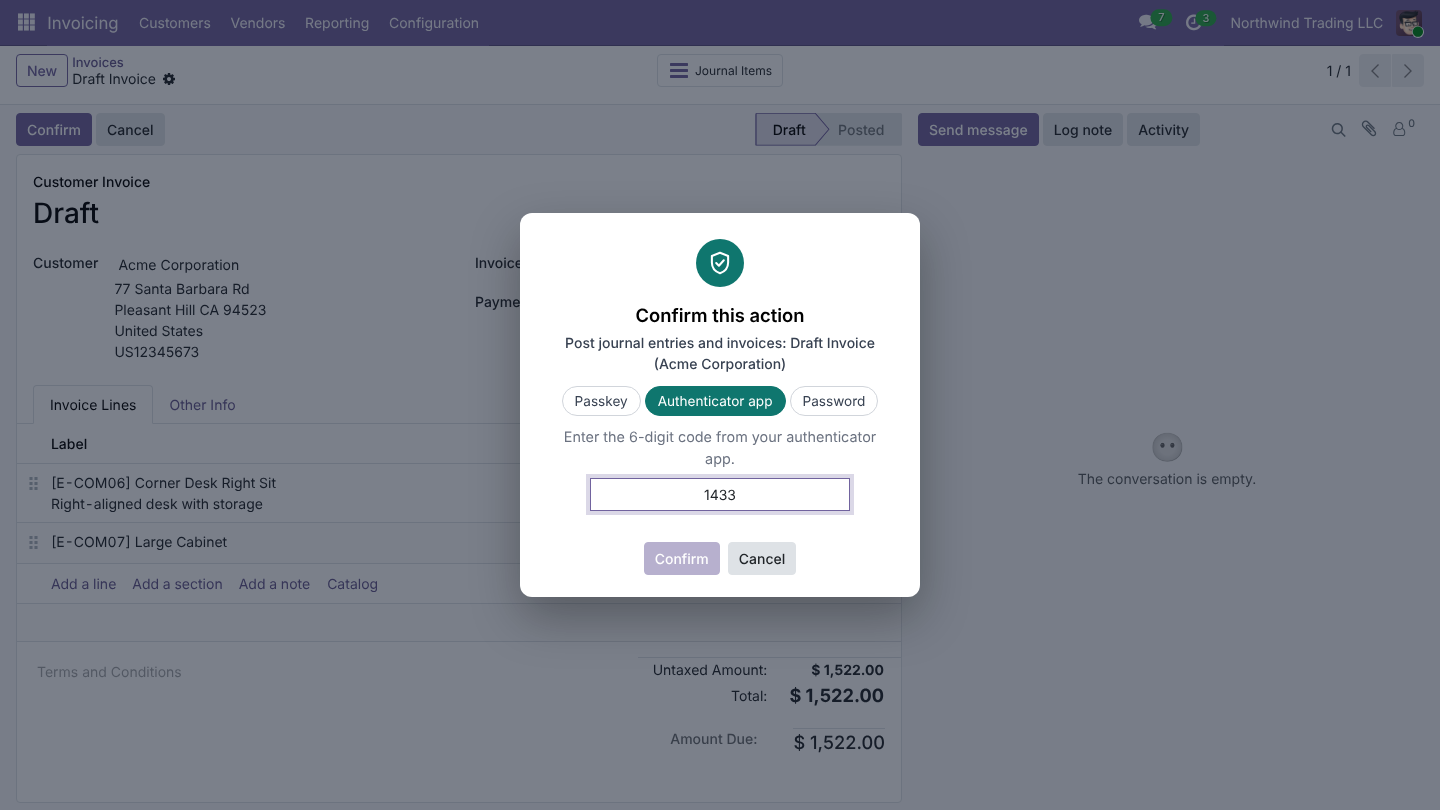
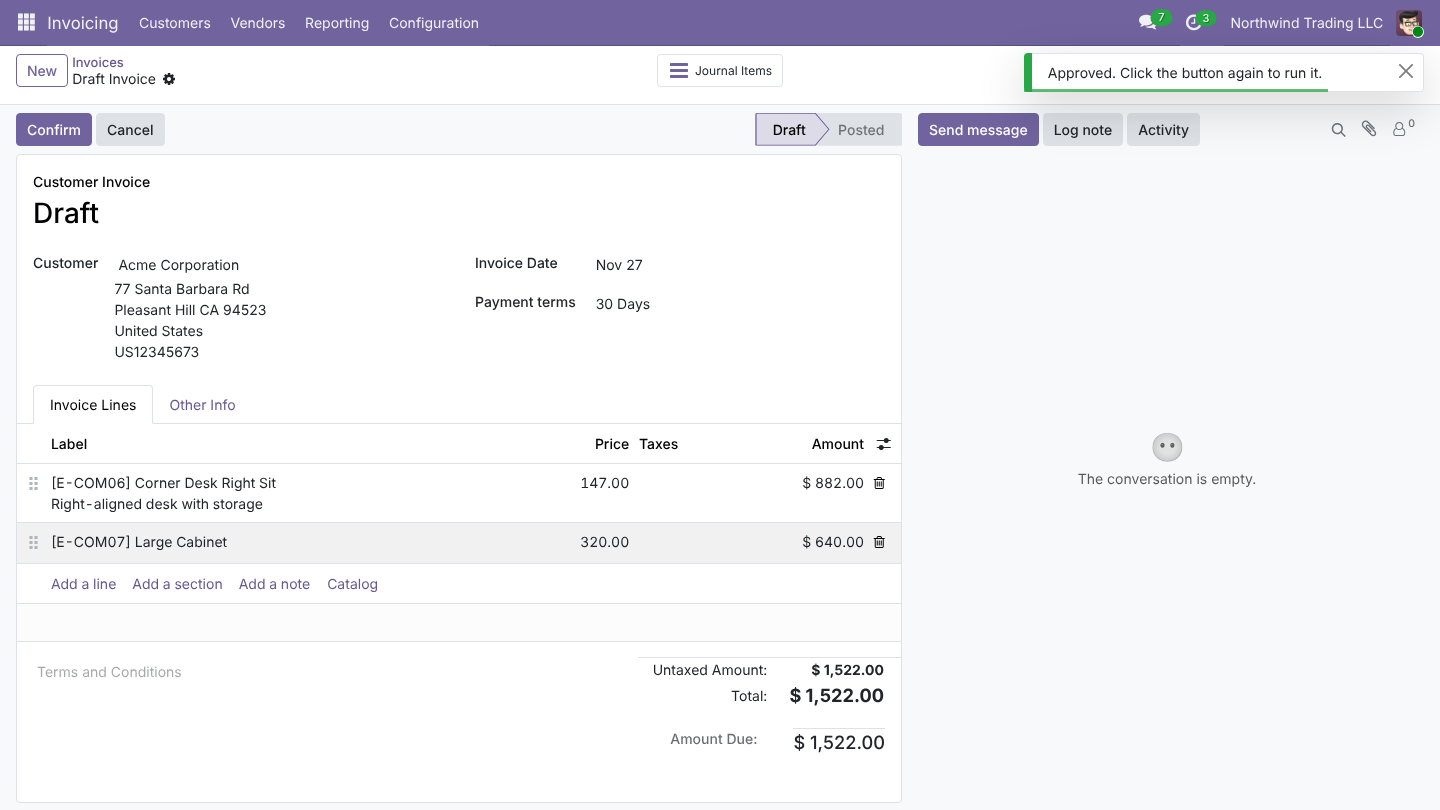
The approval is bound to the same user, records and values, works once, and expires after the minutes set in Settings. If the record or the values change in between, Odoo asks again. Wrong passwords and codes count like failed sign-ins.
What is checked
The check runs inside the business method on the server (for example action_post, write), so it covers:
- forms, lists and Settings in the web client;
- imports;
- automated actions and server actions started by a user;
- XML-RPC and JSON-RPC calls: refused, because an API call cannot confirm (Pro can allow them per action).
Not checked: the superuser, scheduled jobs and server code without a user request, and actions called from inside an action already approved.
Approvals list
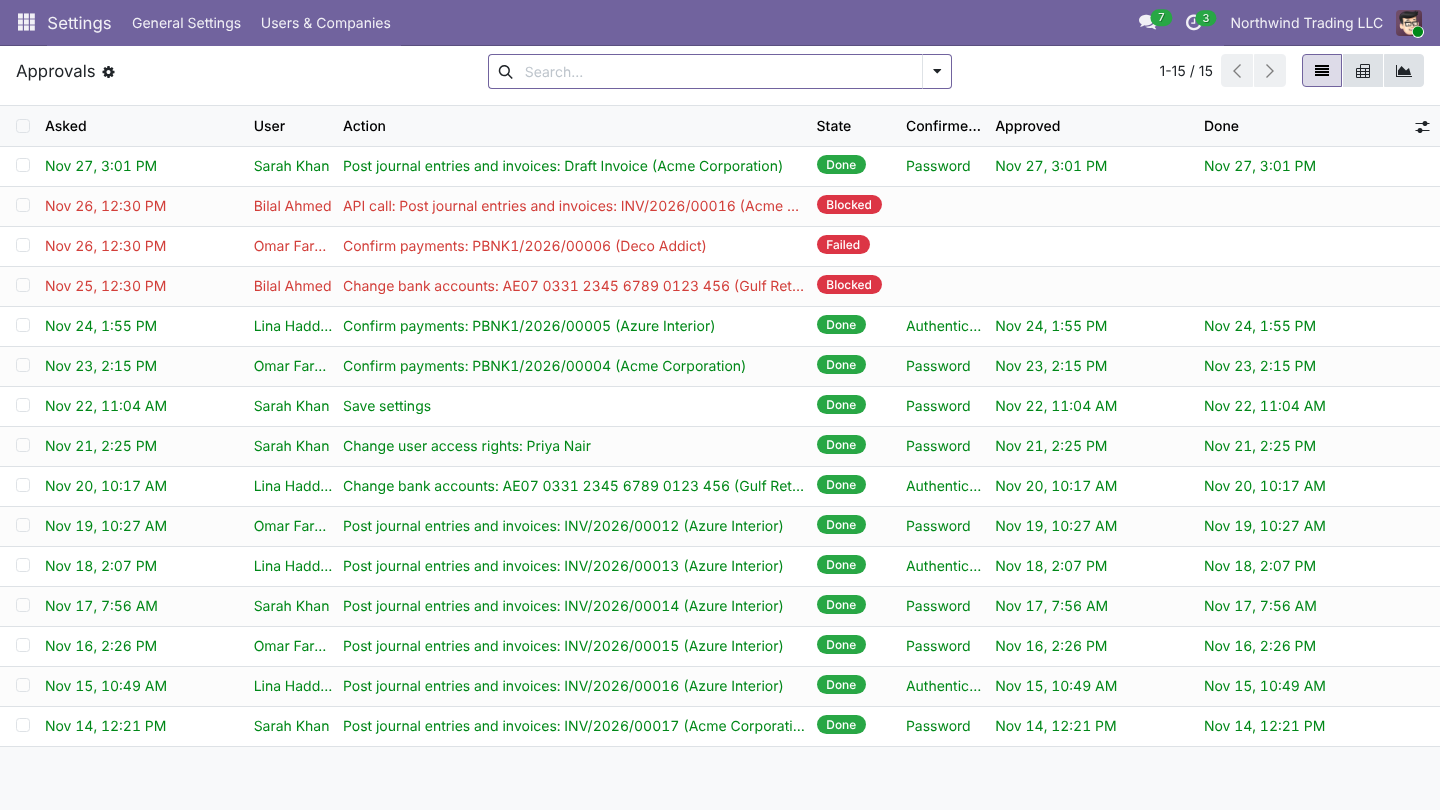
Settings > Users & Companies > Action Approvals > Approvals lists every confirmation: when, user, action, state (Done, Approved, Failed, Blocked), how it was confirmed, and the IP address. Blocked rows are refused API calls and users without an allowed method.
Odoo is a trademark of Odoo S.A. SecureKeys, SecureKey 2FA and Action Approvals are independent products by Novator Technologies. They are not official Odoo products and are not endorsed or supported by Odoo S.A. Trademark notice.